




What is Arcedia?
Arcedia is the digital home of your maple collection. A place to keep all your specimens in order, with customisable entries, their photos grouped by season, their position in your garden, their leaf-out and autumn dates… All the information you need in one place, always at hand, organised and easy to consult.
What is Arcedia?
Arcedia is the digital home of your maple collection. A place to keep all your specimens in order, with customisable entries, their photos grouped by season, their position in your garden, their leaf-out and autumn dates… All the information you need in one place, always at hand, organised and easy to consult.
Features
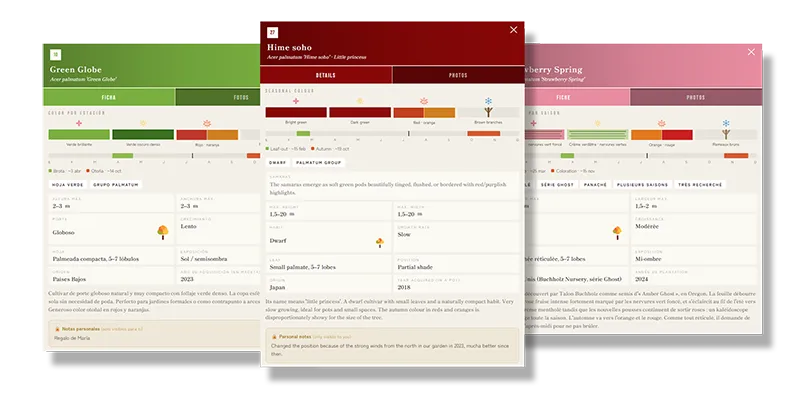
Entries for your cultivars
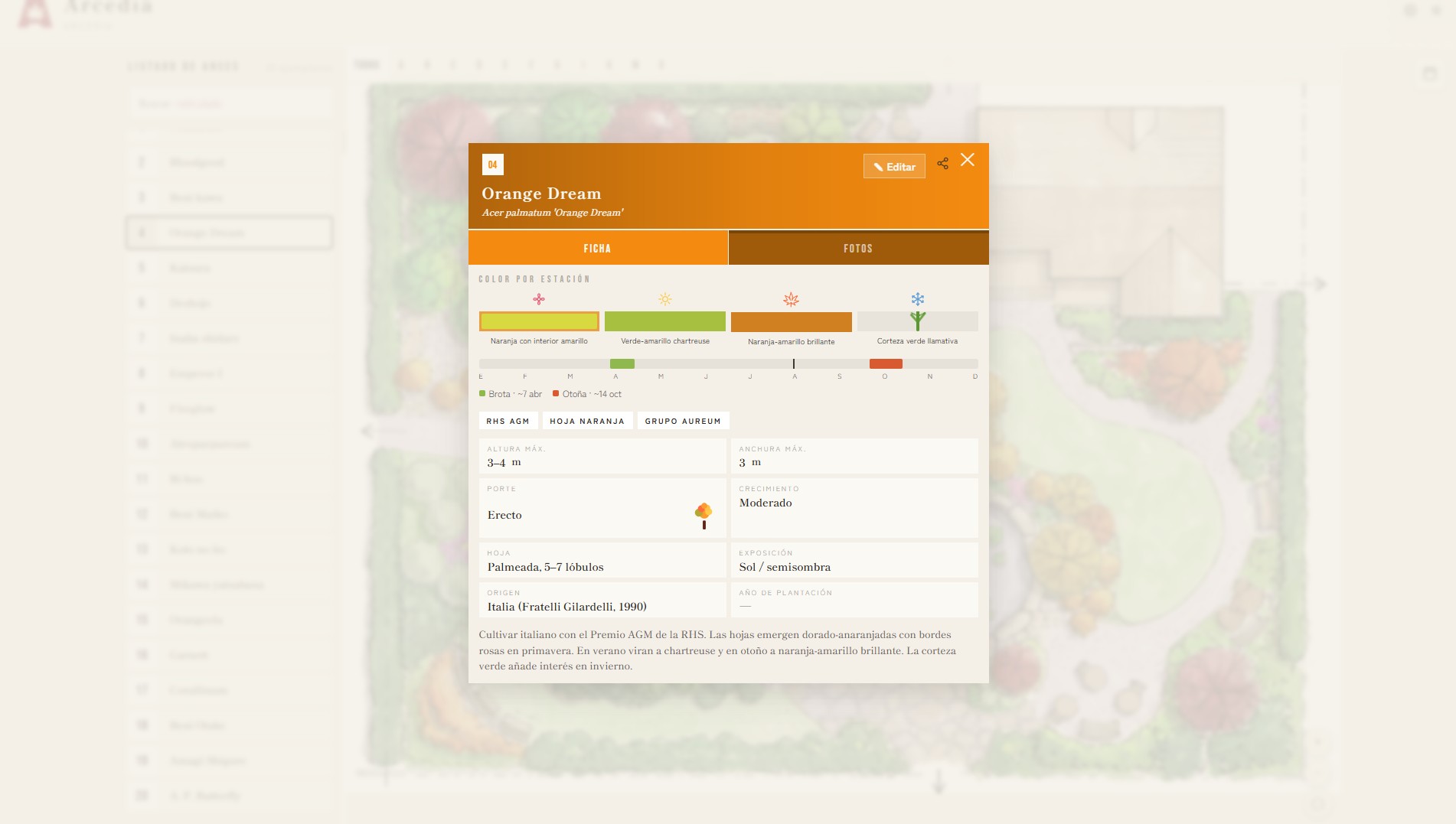
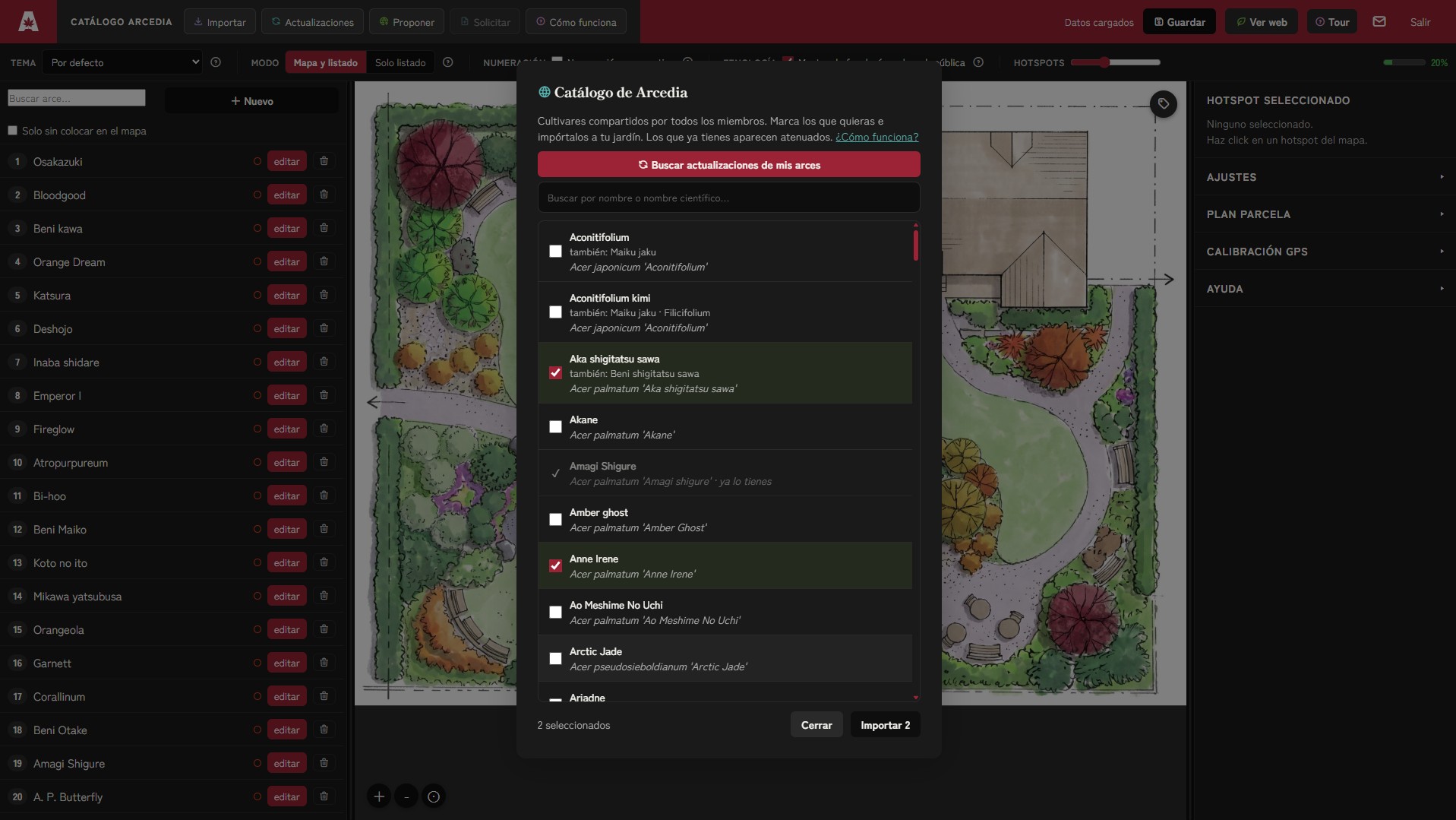
Description, scientific name, height, colours in each season… Write it yourself or import it from the Arcedia Catalogue, a growing list of 828 documented cultivars.
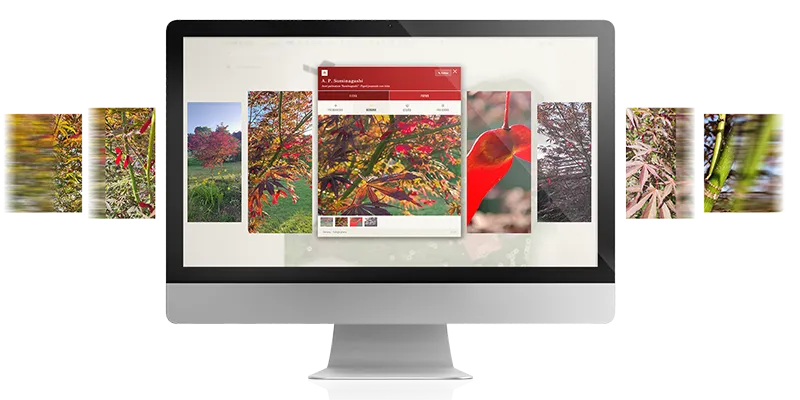
All your photos, finally organised
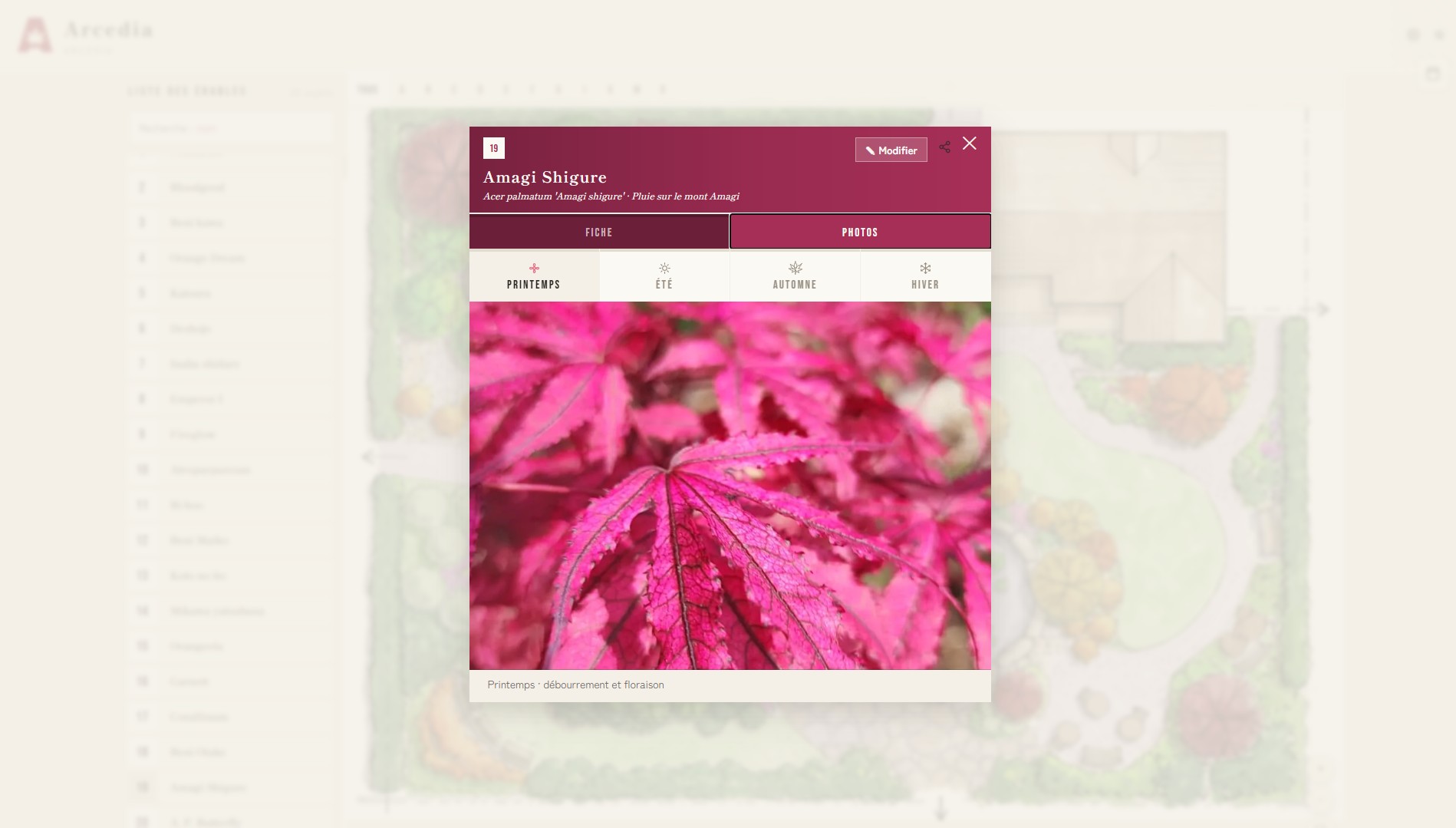
A photo archive per maple and per season, so every image stays linked to the specimen and to the time of year it was taken. A tidy gallery of all your specimens.
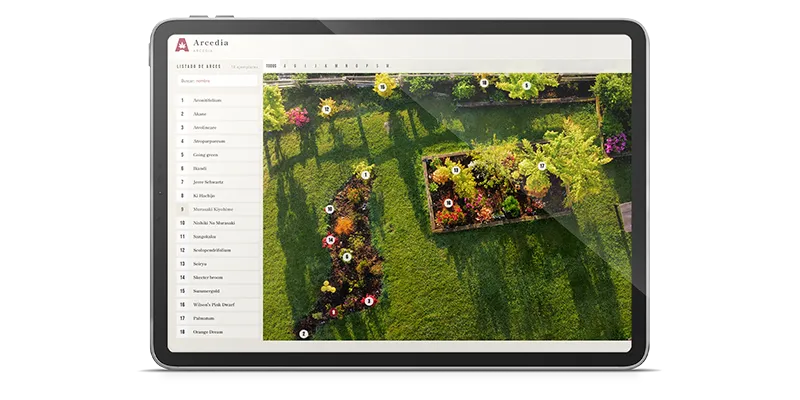
Every maple in its place
Your maples placed on your garden map — a drone view, a satellite capture or a drawing — to identify any of them in a second. Your garden layout is no longer just in your head.
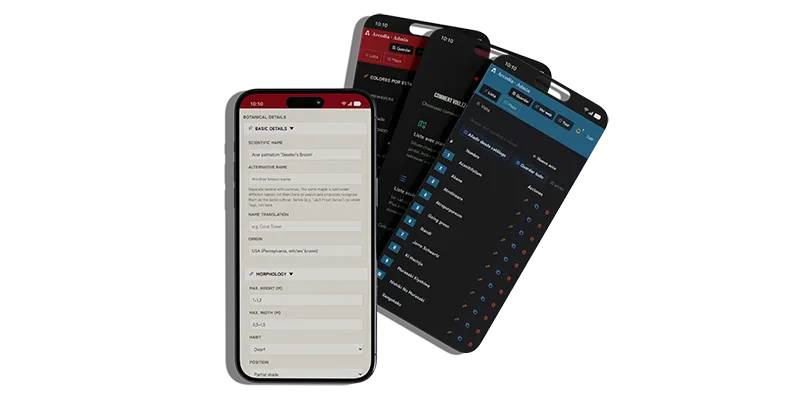
Made for you
Easy to set up thanks to the wizards and guided tours, with a simple, clear interface. Made by maple lovers, for maple lovers.
And much more:
Collaborative
The Arcedia Catalogue keeps growing every day with contributions from its members.Collaborative
Document and add your own cultivars to the catalogue so the community benefits from your knowledge. And make the most of other users’ contributions to enrich your own documented maples.
Adaptable
Choose between list mode or list-with-map.Adaptable
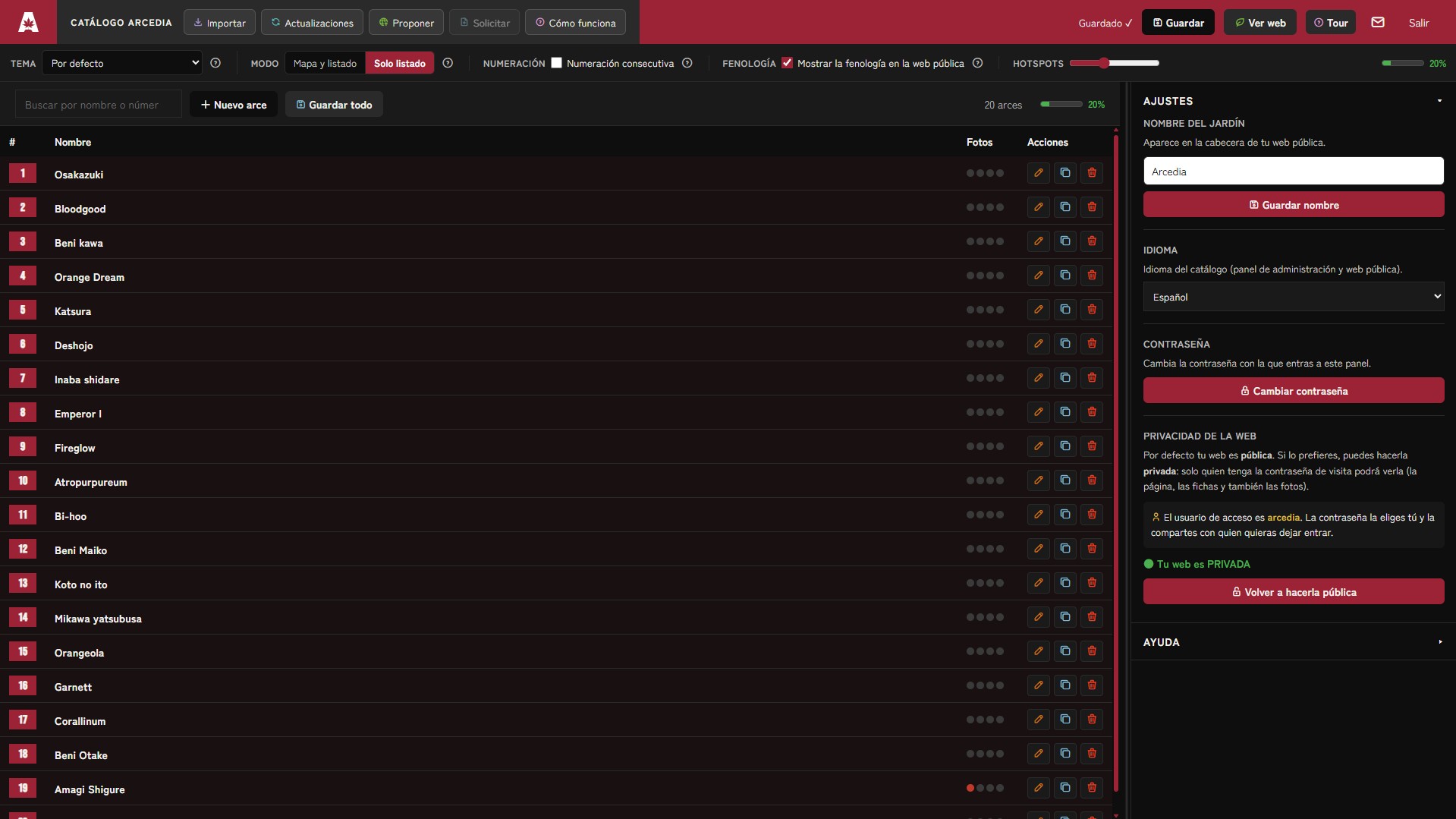
Your catalogue can be shown with a map (you place each maple on a view of your garden) or as a list only (an entry catalogue, with no map or location).
Multilingual
Arcedia is available in Spanish, English and French.Multilingual
Not only the admin site and the public site, but also the catalogued maple entries are translated — so whatever your language, you have all the information at your fingertips.
Light and dark mode
The site adapts to your taste and to the light.Light and dark mode
A site to enjoy however you like best: dark mode for fewer distractions, light mode with each entry’s header in the representative colour of that specimen. Small details that make the difference.
The four seasons
Store photos of spring, summer, autumn and winter.The four seasons
At last, one place to keep all your maple photos in order. Click the maple’s name or its position on the map and you have all its photos in front of you, organised by season. No more impossible searches in your phone’s gallery.
Clear information
Scientific name, origin, height, habit, leaf, colours…Clear information
All the information you need about your maple in ordered, editable fields, with customisable fields and private notes for each specimen.
Advanced search
Find the maple you're looking for in seconds.Advanced search
Don’t waste time — type a name or a feature and get the matching results from your maples instantly.
Privacy
You decide whether your site is public or not.Privacy
In two clicks you can add a password so only those you choose can see your catalogue.
The best moment
Your garden's season, at a glance.The best moment
Record when each maple leafs out and when it colours in autumn, and you’ll be able to picture the best moments of the year in each area of your garden.
Geolocation: your arboretum in the palm of your hand
Available in the Garden, Plot, Arboretum and Collector plans
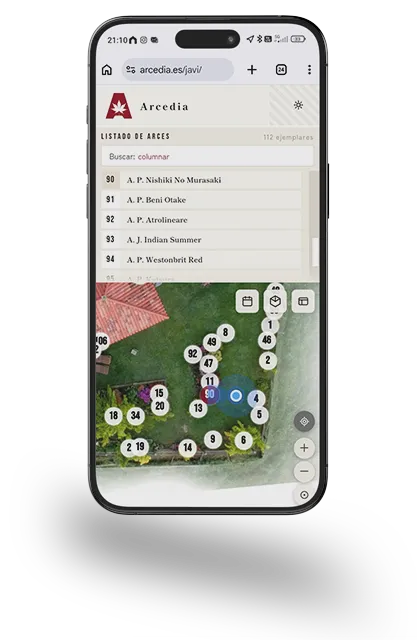
Your position on your garden map in real time, every specimen identified in your pocket — no need for signs or printed plans, always at hand and up to date. Can’t remember a detail about the maple in front of you? Tap it and you have its entry and photos on your phone instantly.
A gallery just for your maples
Available on the Terrace, Garden, Plot, Arboretum and Collector plans
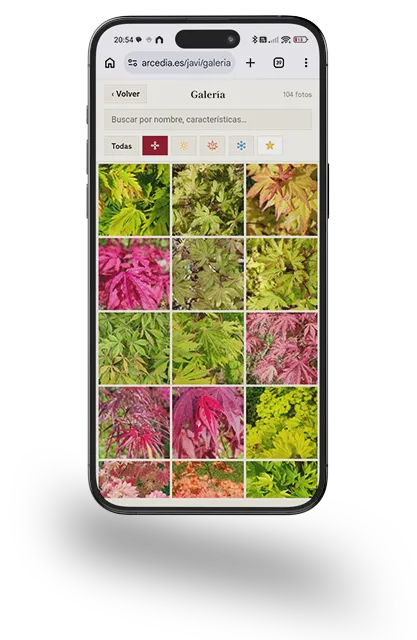
All your maples’ photos in one gallery, with season filters and advanced search. Want to see only your shirasawanum in spring? You’ll have them all on screen in under 5 seconds. You can also add a caption to each photo and record the date you took it.
Private site: you decide who enters your garden
Available in the Garden, Plot, Arboretum and Collector plans
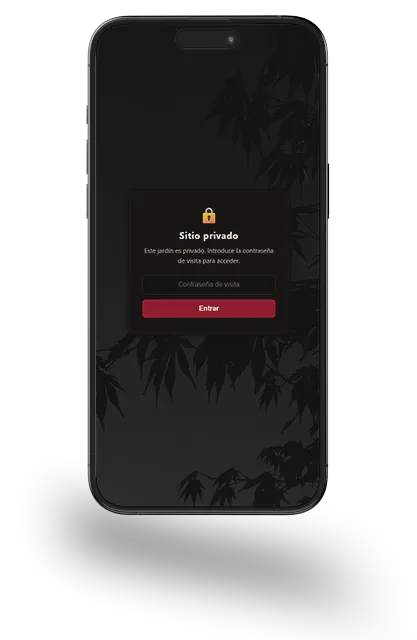
Don’t want your garden to be visible to everyone? No problem: with a single click you turn the site private, with an access key so only those you choose can enter.
Phenology: the pulse of your collection through the year
Available in the Plot, Arboretum and Collector plans
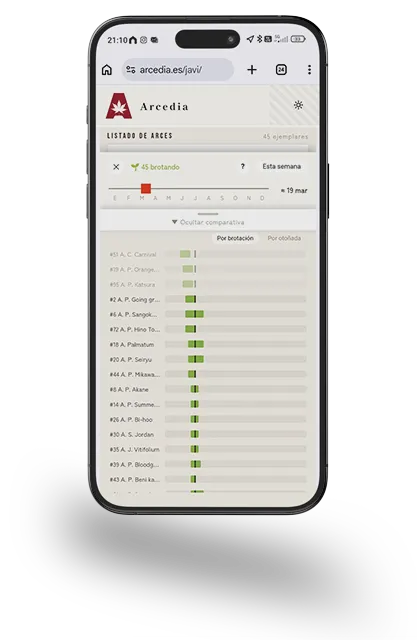
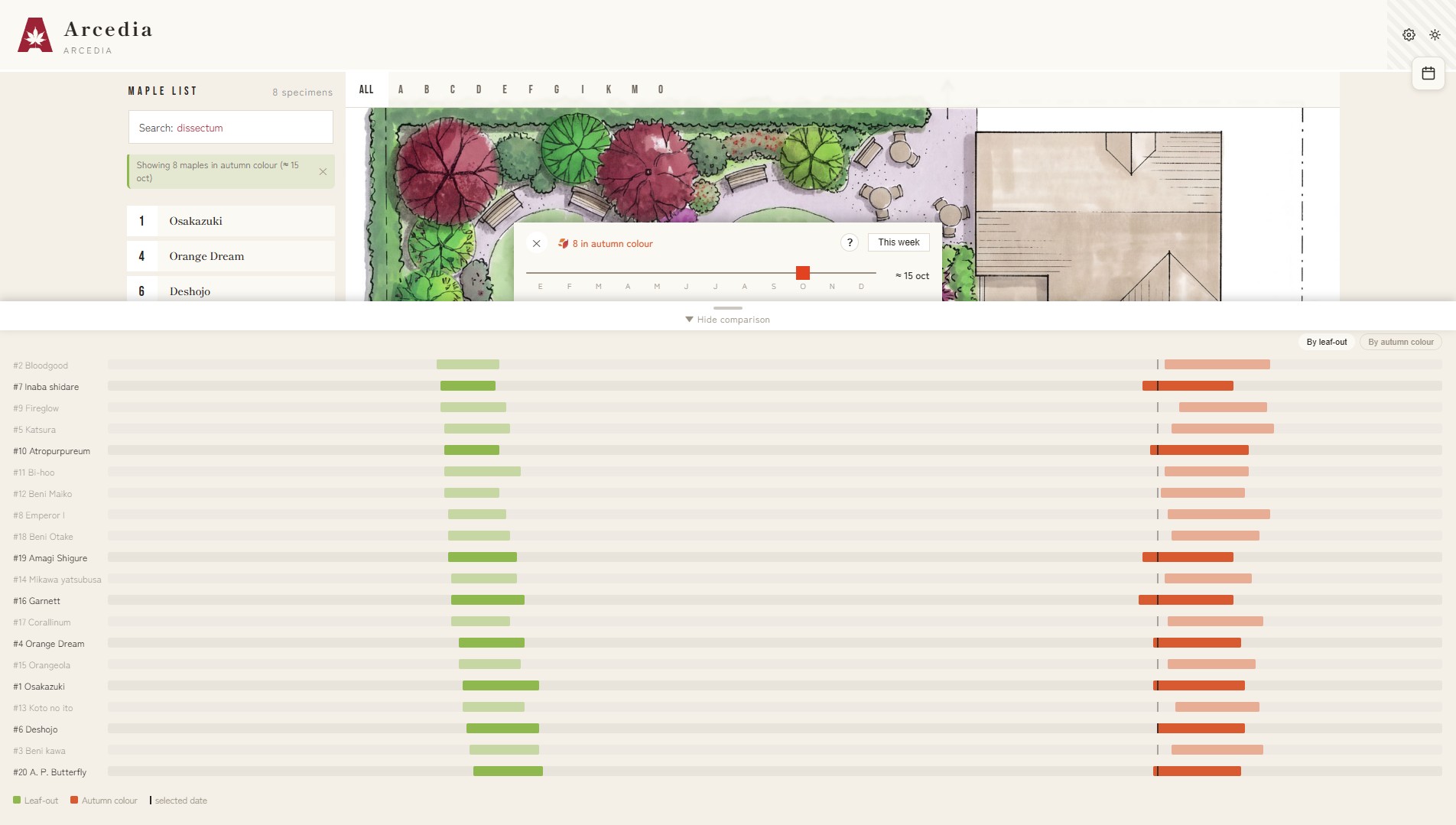
Keeping a record of each specimen’s star moments — when it leafs out and when it colours in autumn — completely changes your relationship with the collection. It lets you see, inside Arcedia, a colour band within each maple’s entry, and the option to compare all your specimens, with the most spectacular areas of your garden reflected on the map at each time of year.
A few screenshots
Choose your plan
Not sure?
Check out all the features in our demo for free and without obligation, so you can see for yourself everything Arcedia has to offer.
All demos and their contents will be deleted every night at 00:00 GMT.
Frequently asked questions
- About Arcedia
- Plans
- Sign-up and payment
- Account and subscription
- Garden and public site
- Managing your maples
- Arcedia Catalogue
Arcedia is a tool to catalogue your maple collection and show it on your own site. Each maple has its entry — name, description, photos, location on the map, phenology… — and together they form your garden’s catalogue, which you can share with whoever you want or keep private for your own reference.
For anyone who grows maples and wants their information, photographs and characteristics organised: from someone with a few specimens on a terrace to collectors with hundreds of cultivars.
Not at all. Everything is managed from a very visual panel, with a wizard that guides you through the first setup and step-by-step explanations on every screen. You don’t have to install anything — we do it all — and if you have any question or need, you can write to us at info@arcedia.es.
The maple catalogue, the website and the management panel are all available in Spanish, English and French. You choose the language when you sign up, and you can change it whenever you like.
There are five levels designed to cover every collection, whatever its size: Terrace, Garden, Plot, Arboretum and Collector. You can see what each one includes on the plans page.
Mainly in two things: the number of maples and the number of photos you can have. There are also several advanced features available (such as the private site, geolocation, the option to request maple entries from the Arcedia team or personal notes). The higher the plan, the more capacity and the more features.
Some features are only included from a certain plan onwards: for example, making your site private, geolocation on the map, phenology, personal notes, or requesting new entries from the team. In the admin panel you’ll always see them, but if your plan doesn’t include them they appear dimmed, with a note showing the plan they become available from. If you’re not sure whether a feature might be useful to you, write to us and we’ll answer your questions.
The subscription is annual.
Of course, at any time and from your own panel. If you upgrade, you enjoy its benefits immediately; if you downgrade, you keep all your features and capacity until the end of the period, and move to the lower subscription after the next renewal.
Choose your plan on the subscription page and complete the purchase. During the process we’ll ask you for a few details to create your garden.
Just three things: the name you want for your web address (for example: www.arcedia.es/john or www.arcedia.es/marys-garden), the language you want to start in, and an admin password to manage it. Nothing more.
When you subscribe you can choose the name of the site where your catalogue will live, in this format: www.arcedia.es/the-name-you-choose — so, for example, your site could be www.arcedia.es/john or www.arcedia.es/marys-garden.
Since it’s the basis of your web address, changing it isn’t something done from the panel. But everything has a solution: if you need to, write to us and we’ll look into it with you.
The available methods are shown at checkout.
Enter it in the coupon field when completing your purchase. For renewals, you’ll have a space in your account to register your new code each year, so it’s applied at the next renewal. If you don’t provide it one year, that renewal is charged without the discount.
From your garden’s own panel, in your plan section, you have direct access to manage your subscription, change plan or check your next renewal.
Renewal is annual and automatic, with the payment method you used when subscribing. You’ll see your next renewal date in your plan section.
You choose the higher plan and are charged only the proportional difference for the time remaining until your renewal; you don’t pay for a whole new year. The change is immediate, and you’ll see the amount before confirming it.
From your panel you have access to change plan. Downgrading has no cost at the time and you don’t lose what you’ve already paid: you keep your current plan until the end of the period and, from the next renewal, you move to the lower plan’s price.
Nothing is deleted. If the new plan allows fewer maples or photos than you already have, your data is kept, but you won’t be able to add more until you’re below the new limit. Some advanced features will stop being available until you return to a plan that includes them.
You can cancel whenever you want from your account. Cancellation doesn’t involve a refund, but you keep access until the end of the period you’ve already paid for; after that, the subscription doesn’t renew.
Your installation is temporarily blocked until the payment is sorted out. As soon as it’s resolved, you recover access automatically. No data is lost.
On the panel login screen you’ll find the option to recover it. If you can’t reset it, write to us and we’ll help you.
From your garden’s address there’s a button (a gear icon) that takes you to the admin panel, which you enter with your password.
Your visitors see a site with your catalogue: your maple entries, their photos, the map and whatever you’ve decided to show. From the panel you have a “View site” option to check how they see it at any time.
Yes, if your plan includes it. You can protect it with a visitor password, so only those you choose can enter. You can make it public again whenever you wish.
No. Personal notes are private: only you see them when logged in as administrator. A visitor never sees them. Personal notes are only available in some plans.
Get in touch and we’ll look into it depending on your case.
Yes, from the panel settings. The catalogue can be shown in Spanish, English or French.
Yes. The public site offers a light/dark mode switch for the visitor.
From the panel, with the new-maple button. If the maple is already in the catalogue you can import all its characteristics directly, so you don’t have to fill anything in (recommended). Then, if you wish, you can edit every part of the entry. If you prefer, you can create an entry from scratch — fill in whatever data you want (the more you complete, the richer the entry) and save.
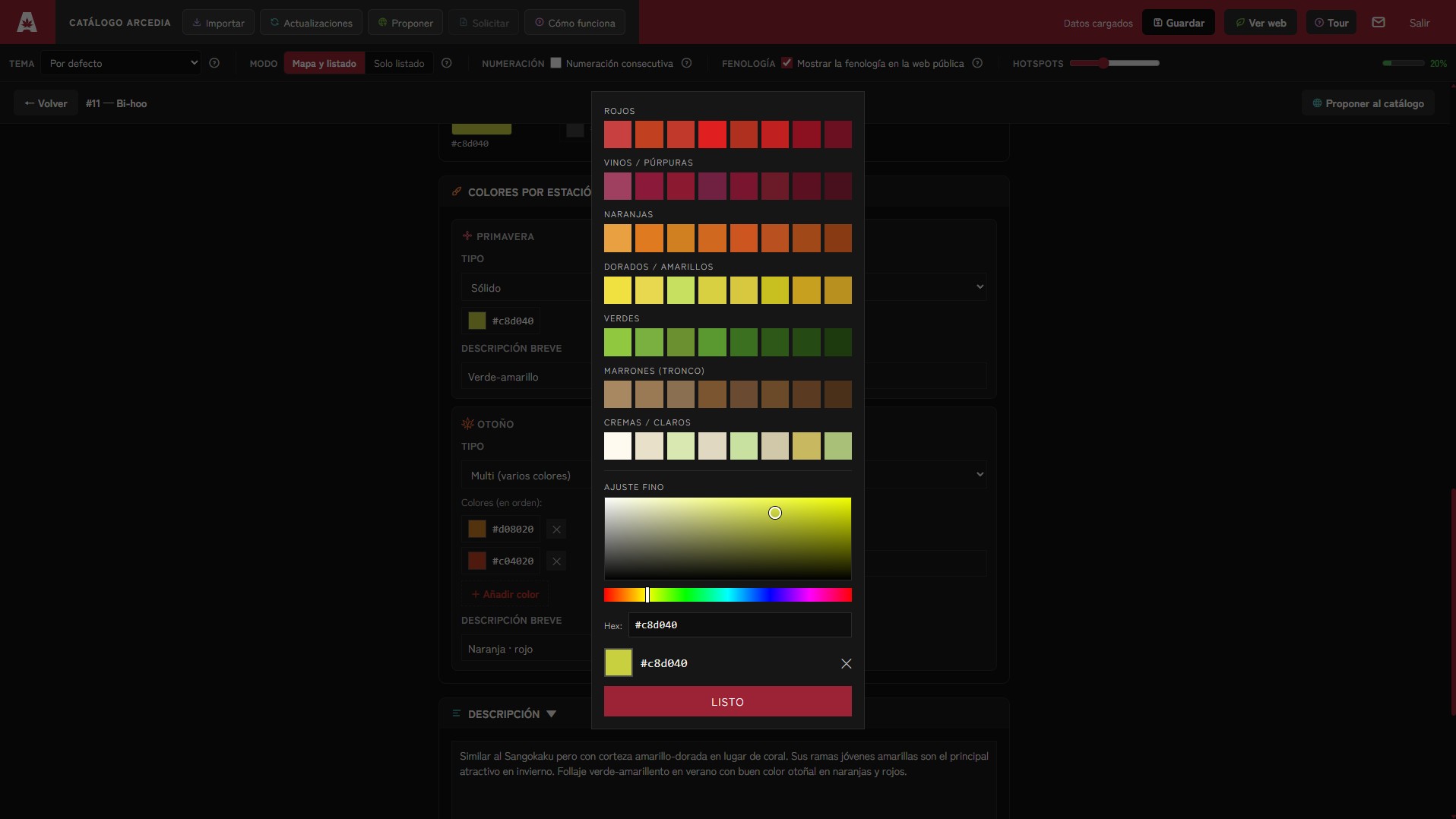
Cultivar name, scientific name, alternative name, name translation, origin, morphology (width, height, habit, exposure, leaf, growth), year of planting/acquisition, photos by season, location on the map, tags, colours by season, description and, depending on your plan, advanced fields such as phenology records, a custom field or private notes.
A public field to your taste: you choose the title (for example, “Hardiness” or “Flowers and samaras”) and its content. It appears on the entry only if you fill it in. It’s a feature available in some subscription plans.
A private space on each maple for your own notes. They aren’t shown to visitors, only you see them. For example, you can note in your private notes how much you paid or who gave it to you, when you grafted it, whether it’s had diseases… It’s a feature available only in some plans.
Yes — using tags you create filters that let you quickly find what you’re looking for. You can create tags for a commercial series, a colour, or an area of your garden. So if you search “jack frost” on the site, all the maples you have from that series appear directly; or “pond” can quickly show you the maples you have around it.
From its entry, with the delete option.
Your maples are your garden: your specific collection, with your photos and your data. The Arcedia Catalogue is a database of cultivar entries shared by the community, from which you can draw information for your own entries.
From the Catalogue area of the panel, with the import option. You search for the cultivar and add it to your garden with its entry already written, which you can then personalise.
Of course — click “Submit to the catalogue” to share one of your entries. The Arcedia team will review it and, if appropriate, add it to the common catalogue so the rest of the community can use it.
With the Request option, available only in some plans. You indicate the cultivar you’re looking for and the Arcedia team prepares its entry for the catalogue in all languages.
No. Arcedia catalogue updates let you bring improvements to your entries in a controlled way; you decide what you take on, and your personalisations aren’t overwritten without your consent. All your personal fields (location on the map, notes, custom field…) always stay intact.
It depends on your plan. You can check each plan’s maximum on the plans page.
There may have been a temporary network error — try again. Also check that you haven’t reached your plan’s photo limit. You can free up space by deleting some photos, or upgrade your plan to increase the number of photos.
From the map screen, by marking the specimen’s position on the plan. If you also add geolocation, your visitors will be able to see its position in the garden from their phone.
Yes, that’s ideal: upload an aerial photo, a drawn plan or a Google Maps screenshot. You can also upload no map at all and work in list-only mode.
It’s the record of the key moments in each maple’s cycle (such as leaf-out or autumn colour). It shows a calendar where you can compare the different moments of your maples, and a chart in the entry, useful for following your collection’s evolution through the year. Only available in some plans.
Absolutely. Your password is stored encrypted, your personal notes are private and only you can see them. And you decide what is shown on your public site and what you share with the common catalogue.
From the panel settings, in your account area.
Yes. You can choose between several colour themes from the settings.
From the admin panel there is a help section with a contact form that reaches the Arcedia team directly.